
Learn about the best AI tools for teachers that can help make lesson planning, grading, assessment, and engagement a breeze in 2025.
Teaching is one of our most important professions but also one of the hardest. You have to gain control of rowdy classrooms, create impactful and engaging lessons, interact with parents and students from all walks of life — and still find time for grading. There aren’t enough hours in the day or dollars in the budget to accomplish everything you want to.
But AI tools for teachers can make a big difference. Introducing AI to your classroom can save you hours, avoid costly expenses, and help you personalize the learning experience for each student. However, you need the right tools, and with so many on the market, how do you choose?
This article reviews some of the best AI tools for teachers. While there are similarities across tools, we highlight the most unique features and benefits to help you select the best tools for your class.
Table of contents
- Mentimeter - Great for AI-generated presentations
- Eduaid.AI - Great for automated instructional planning
- Diffit - Great for AI-generated instructional materials
- AudioPen - Great for converting voice to text
- Canva Magic Studio - Great for generating design assets
- Brisk Teaching - Great for AI teaching assistance
- Khanmigo - Great for AI tutoring
- Gradescope - Great for AI-assisted grading
- Turnitin - Great for AI and plagiarism detection
- SchoolAI - Great for student engagement and insights
- MagicSchool - Great for comprehensive teaching support and automation
Best AI tools for teachers at a glance
| Tool | Great for | Top features | Free version | Price |
|---|---|---|---|---|
| Mentimeter | AI-generated presentations | AI-powered interactive presentation development with customizable AI-generated quizzes, interactive Q&A, quizzes, and surveys with anonymous responses | Yes | $11.99/presenter/month |
| Eduaide.AI | Automated instructional planning | AI-driven lesson plan generation, customizable templates, and adaptable lesson plans for unique needs | Yes | $49.99/year |
| Diffit | AI-generated instructional materials | AI-generated exercises and information based on selected grade levels and language, uplevel, translate, or expand existing information, and a template library with resources in several formats | Yes | Contact for pricing |
| AudioPen | Converting voice to text | Real-time voice-to-text transcription and multiple language support | Yes | $99/year |
| Canva Magic Studio | Generating design assets | AI-supported design elements, drag-and-drop, customizable design interface, template library, and project collaboration | Yes | $120/year for one user |
| Brisk Teaching | AI teaching assistance | AI-generated lesson plan creation, automated student assessment tools, performance tracking, and adaptive and personalized learning | Yes | $9.99/month or $99.99/year |
| Khanmigo | AI tutoring | Personalized and interactive tutoring with real-time feedback, a wide range of subjects, and integrations with Khan Academy’s curriculum | No | $4/month or $44/year |
| Gradescope | AI-assisted grading | AI-assisted grading and rubric-based grading and feedback with student performance analytics, and also integrates with learning management systems (LMS) | Yes | Contact for pricing |
| Turnitin | AI and plagiarism detection | Plagiarism and AI detection with detailed similarity reports, source matching, feedback and revision tools and integrations with LMS platforms | No | Contact for pricing |
| SchoolAI | Student engagement and insights | AI-powered co-teacher, thousands of educational chatbots, time-saving tools, and student insights | Yes | Contact for pricing |
| MagicSchool | Comprehensive teaching support and automation | Lesson plan generator, educational chatbot, and easy assignment and worksheet creation | Yes | $99.96/year |
1. Mentimeter
Great for: AI-generated presentations for more engagement
Price: Free to start, with paid plans starting at $11.99/presenter/month

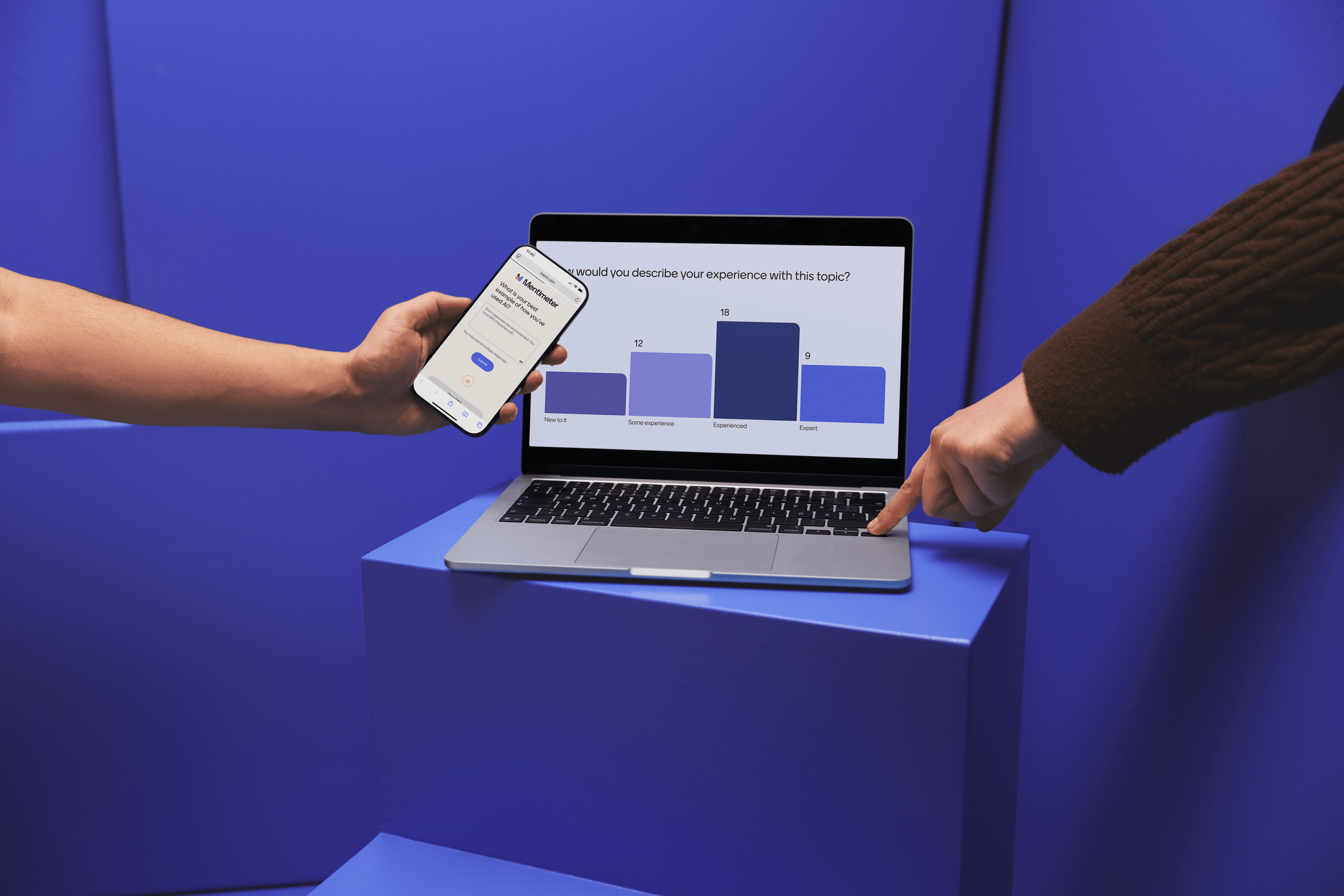
Say goodbye to boring lectures and hello to high classroom participation. Mentimeter’s AI Menti Builder transforms classroom presentations to make them enticing, engaging, and educational. As a teacher, trainer, and anyone who wants to share knowledge with a group, you can use Mentimeter to create interactive presentations with live quizzes, polls, Q&A sessions, and more. It’s a great alternative to tools like Kahoot!, with simpler pricing options.
The Menti AI Builder and AI Quiz Generator can even be tailored to any grade level or age group, making it easy to set up classroom games, team-building activities, or brainstorming sessions. Plus, the free version is one of the best free apps for teachers.
Top features:
- AI-powered interactive presentation development
- AI-generated, customizable quizzes
- Interactive Q&A, quizzes, and surveys
- Collect anonymous responses from students
2. Eduaide.Ai
Great for: Automating instructional planning
Price: Free to start; paid plans begin at $49.99/year

Eduaide.Ai is an automated AI lesson planning tool for teachers, helping streamline the generation of curriculum materials and instructional plans.
Harnessing the power of AI, Eduaid helps teachers, administrators, and curriculum designers create plans and materials in a snap, saving time and effort.
It’s also possible to design plans with personalized learning paths based on students’ unique needs. You won’t have to put in additional hours to ensure your lesson plans can be tailored to each student’s learning style, fostering an inclusive environment. Plus, the automated nature of Eduaid’s planning makes it easier to align with educational standards—it even makes suggestions to keep everything compliant.
Top features:
- AI-driven lesson plan generation
- Customizable templates
- Adaptable lesson plans for unique needs
- Standards-aligned curriculum ideas
3. Diffit
Great for: AI-generated instructional materials
Price: Contact for pricing

Diffit helps teachers generate custom learning materials. Whether you’re looking to create something new or expand upon existing content, Diffit can help you do it in less time than traditional methods.
Teachers, instructional designers, tutors, or other educators can use Diffit to add on or design resources for existing materials in nearly any format, including plain text, PDF, website, or video. If you don’t yet have a starting point, Diffit also helps you create new materials from scratch. Plus, there’s a library full of templates in several formats.
Top features:
- AI-generated exercises and information based on selected grade levels and languages
- Improve existing content to uplevel, translate, or expand information
- Template library with resources in several formats
- Uses cited sources
4. AudioPen
Great for: Converting voice to text
Price: Free to start; paid plans begin at $99/year

AudioPen transforms the note-taking process by making it easy to convert voice to text. And it’s not just an AI for teachers — students, school staff, and even corporate professionals can benefit from a quicker way to capture information and avoid cramped hands from hours of writing.
You can use AudioPen to transcribe notes from lessons or meetings on your own, or you can set it to capture details of class discussions or brainstorming sessions. It’s also a helpful way to quickly jot down ideas you want to return to later.
Top features:
- Real-time voice-to-text transcription
- Supports multiple languages
- Export text files
5. Canva Magic Studio
Great for: Generating beautiful design assets
Price: Free to start; paid plans begin at $120/year for one user

You’ve probably used Canva to create graphics or flyers, but Canva Magic Studio takes it a step further with the addition of AI. Educators (or any non-designer looking for design help) can use AI-powered tools to simplify the design process, save time, and create engaging materials.
Teachers can use Canva to craft visually engaging presentations and educational materials — no boring worksheets here — and even flyers or materials to advertise school or classroom events.
Top features:
- AI-supported design elements
- Drag-and-drop, customizable design interface
- Template library
- Project collaboration
6. Brisk Teaching
Great for: AI teaching assistance
Price: Free to start; paid plans begin at $9.99/month or $99.99/year

Brisk Teaching is an AI-powered teaching assistant that can help you plan lessons, assess student assignments, and personalize plans and support for each student.
Created specifically for use in educational settings, Brisk Teaching automates many of the routine teaching tasks you encounter every day, reducing your administrative workload. But it isn’t just basic content generation. Instead, you can leverage the tool to generate personalized student insights and support each learner's unique strengths.
Top features:
- AI-generated lesson plan creation
- Automated student assessment tools
- Performance tracking
- Adaptive and personalized learning
7. Khanmigo
Great for: AI tutoring
Price: $4/month or $44/year

Khanmigo is an AI tool from Khan Academy that provides educational support for several subjects. Teachers, students, and parents can use Khanmigo for individual tutoring, homework help, or supplemental education alongside classroom lessons.
At just $4 per month, Khanmigo is an accessible alternative to costly tutoring centers. It can also be adapted to individual student needs and learning styles, ultimately reducing learning gaps.
Top features:
- Personalized and interactive tutoring
- Real-time feedback
- Wide range of subjects
- Integrates with Khan Academy’s curriculum
8. Gradescope
Great for: AI-assisted grading
Price: Contact for pricing

Gradescope by Turnitin is an AI grading tool for teachers. It streamlines student grading and assessment while leveraging AI for speed and accuracy.
Educators can use Gradescope to grade homework and exams, ensuring more consistent and unbiased assessment than manual grading. You can also provide feedback to students. Over time, you can analyze trends in student performance to identify challenges, giving you a chance to address them.
Top features:
- AI-assisted grading
- Rubric-based grading and feedback
- Student performance analytics
- Integrates with learning management systems (LMS)
9. Turnitin
Great for: AI and plagiarism detection
Price: Contact for pricing

Turnitin’s software — Originality and Similarity — are plagiarism and AI detection tools for teachers and administrators to identify plagiarism and AI usage in student assignments.
Turnitin ensures academic honesty by identifying suspected plagiarism in reports, essays, or other works. Turnitin also makes it much quicker and easier to check assignments for originality, as teachers no longer have to go through everything with a fine-toothed comb.
Students can use Turnitin, too, and it can help educate them on proper citation practices before they turn in work with incorrect or missing citations.
Top features:
- Plagiarism and AI detection
- Source matching
- Detailed similarity reports
- Feedback and revision tools
10. SchoolAI
Great for: Student engagement and Insights
Price: Contact for pricing

SchoolAI describes itself as an all-in-one AI platform for education. It provides AI-powered activities for teachers to integrate into their curriculum classroom to enhance learning. With thousands of chatbots, students can chat with historical figures, work with a writing coach, and more. These chatbots can be personalized to specific school or classroom needs, as well.
Teachers can leverage AI-powered insights to get a pulse check on how their students are doing. There’s also a co-teaching chatbot, time-saving AI tools, and image generators for teachers to bolster their lesson plans.
Top features:
- AI-powered co-teacher
- Thousands of educational chatbots
- Time-saving tools
- Student insights
11. MagicSchool
Great for: Comprehensive teaching support and automation
Price: Free to start; paid plans begin at $99.96/year

MagicSchool automates teaching tasks like lesson planning, assessments, and student engagement, helping teachers save time on repetitive tasks. You can also use the tool and teacher-focused AI prompts to generate student feedback, draft IEPs, and create quizzes.
Not only does MagicSchool offer support with curriculum and lesson planning, but it also has the ability to tailor existing lessons to students’ and classrooms’ unique learning needs. For instance, you can update existing text to be grade-level appropriate. There’s also a built-in educational chatbot.
Top features:
- Lesson plan generator
- Educational chatbot
- Create assignments, worksheets, and more
- Generate content and materials
How can AI help teachers?
Teaching is an important job, but one that is often overworked. It's enough to be responsible for molding young minds — It shouldn't also be a job full of excess administrative work! That's where AI comes in. Here are just a few ways the best AI tools for teachers can transform your job:
- Streamline or remove tedious manual tasks. Let AI handle the admin so you can focus on engaging with students and cultivating a positive environment.
- Create engaging lesson plans, presentations, and materials. Leverage the technical prowess of AI tools to spin your ideas into tip-top shape without extra work on your part.
- Automate grading and assessments. Not only will you spend less time grading, but using AI-based assessment tools lets you rest assured the assessments are objective and bias-free.
- Track and improve student engagement and performance. Integrate AI to gather insights into your student engagement strategies and make necessary improvements.
- Foster a tech-savvy culture. AI is quickly becoming a part of everyday life, so the more you include it in your classroom, the more familiar your students will become.
How teachers can choose the right AI tools
Ready to take the plunge and bring AI to your classroom? Consider a few things before deciding on the AI education tools you’ll use. Think about:
- Your needs and objectives: What do you hope to accomplish with AI? Make sure the tool you're considering can accomplish everything you need.
- Your students’ needs and grade level: Different tools benefit different grade levels and learning needs, so be sure to find one that matches your students’.
- Your budget: With AI tools ranging from free to premium, there's something for every budget. Make sure to select one that won't cause undue financial stress.
- Ability to demo: The best way to assess a tool is by using it yourself, so find one with a free plan, free trial, or demo.
- User-friendless: Make sure any tool you choose is simple to set up and navigate. The last thing teachers need is another task requiring their time!
- Tech support: That said, there will always be questions. Be sure you select a tool that offers robust and responsive support.
- Data privacy and security: Student information is sensitive, so avoid any tools that can't offer adequate security and privacy.
- System integrations: The ideal AI tool should integrate with any LMS or other tools you frequently use.
- Testimonials and reviews: Leverage recommendations from your network, online reviews, or customer testimonials to ensure you're making a strong choice.
Create a yawn-free learning experience Mentimeter
It’s tough to keep a classroom interested, but the right AI tools can help you make lessons more engaging and encourage student participation—no sleepy heads on desks here!
For maximum impact, you need to choose the right tools. Think through the needs of your classroom and the areas where you could use the most help. Try out a few tools to see which ones best meet your needs.
Mentimeter’s AI Menti Builder is an excellent choice. With engaging presentation tools and interactive quizzes and questions, you’ll never have a bored classroom again. Ready to see how Mentimeter can enhance your next lesson? Get started today.
Create your first Menti for free
Get started